In today's post, we'll be discussing AdMob account suspensions due to invalid traffic.
We have found that there are two types of publishers who may have invalid traffic issues with their accounts. The first are publishers who may unintentionally send invalid traffic to their accounts, typically by testing on live ads. For those, we hope that increased transparency into our policies and processes can decrease these unintentional violations and help our publishers play by the rules. The second are publishers who intentionally bypass our rules, ending up with a variety of invalid traffic issues in order to artificially inflate their ad revenue. That’s why we work hard to maintain a policy compliant ecosystem for our publishers, advertisers, and users. In short, if you play by the rules, AdMob is here to help you grow your business.
We receive many questions about account suspensions, so let's go through the top questions about this process and steps you can take to help keep your account in good standing.
What is invalid traffic anyway?
Invalid traffic includes any clicks or impressions that may artificially inflate an advertiser's costs or a publisher's earnings. Invalid traffic covers both intentionally fraudulent traffic as well as accidental clicks.
Please note that clicks on Google ads must result from genuine user interest, and any method that artificially generates clicks or impressions is strictly prohibited by our program policies. If we observe high levels of invalid traffic on your account, we may suspend or disable the account to protect our advertisers and users.
What is an account suspension?
If your account was suspended due to invalid traffic, ad serving has been turned off on all of your content for a fixed period (most frequently 30 days). This includes any website, YouTube channel, and/or mobile app. Please know that we will deduct revenue from your account and will credit advertisers with the withheld revenue where appropriate and possible. If there are no further compliance issues with your account, it will be automatically re-enabled after the fixed period.
Please note that your account is still active, and an account suspension is not the same as having your account disabled. If your account was disabled due to invalid traffic, your account is no longer serving ads, and you will be unable to monetize with any Google ad solutions. As with account suspensions, please know that we will deduct revenue from your account and will credit advertisers with the withheld revenue where appropriate and possible.
Visit our Help Center for more information about suspended accounts or disabled accounts due to invalid traffic.
Why did my account get suspended?
In addition to monitoring for policy violations, we analyze all clicks and impressions to determine whether they might artificially drive up an advertiser's costs or a publisher's earnings. If we determine that your account has invalid traffic, then we may suspend or disable your account. Please know that we may deduct revenue from your account and may credit advertisers for the invalid traffic we detect.
Here are common reasons why your account may get suspended:
We recommend that you check your associated AdMob email for more information regarding your account suspension.
What steps should I take during the suspension period?
Account suspension gives you time to investigate the sources of invalid traffic, identify and block suspicious traffic, and put measures in place to ensure clean traffic. We recommend using Firebase Analytics to help you best understand, monitor, and evaluate the traffic to your app. This may also help you identify sources of invalid traffic.
Visit our Help Center for more information about suspended accounts due to invalid traffic.
How can I appeal an account suspension?
Account suspensions are currently not appealable.
You can use this time to investigate your traffic sources and make adjustments to help prevent invalid traffic in the future. Provided that there are no further compliance issues with your account, it will automatically be reinstated once your suspension period is served.
Please don't fill out the invalid traffic appeal form because that form is reserved for disabled accounts, and you will receive an email that says we can't process this appeal.
If you would like to provide additional feedback to help us improve our processes and communications, you may do so using our suspended publisher feedback form.
When will my account be re-enabled?
If there are no further compliance issues with your account, it will be automatically re-enabled after the fixed period (most frequently 30 days).
What happens if after my account was re-enabled, my account continues to generate invalid traffic? If, after your account has been re-enabled, invalid traffic persists and continues to contribute low value traffic to our ads ecosystem, then we may need to disable your account.
Visit our Help Center for more information about suspended accounts due to invalid traffic. We look forward to your return to the AdMob network in good standing after the suspension ends.
Posted by: Danielle Chang, Ad Traffic Quality team
In today’s topic, we’re exploring how you can help stay compliant with AdMob policies when using the AdMob interstitial ad format. If you have ever received a policy message for “Layout encourages accidental clicks - Interstitial Ads”, or have had trouble with implementing interstitials to trigger on time, read ahead for our best practices.
App layouts that encourage accidental clicks are a common policy issue for publishers. When implementing interstitial ads within a mobile app, there may be a slight delay in when the ad gets triggered after a user selects an action. In the example below we can see that an interstitial ad launches unexpectedly with a delay on the second screen after the page has already loaded. This delay can occur due to carrier latency when requesting the interstitial ad.
Carrier Latency causing a delay in the interstitial ad
Pre-loading your interstitial ads will allow you to avoid latency when the ad is displayed to the user. In the corrected example below, the user now clicks on a transitional button and an interstitial ad is shown immediately on action. Once the user closes the interstitial ad they will now be on the next loaded page.
Pre-loading the interstitial ad to trigger on action
To learn more about how to preload your interstitial ads, please follow the AdMob Interstitial Ad developer guidelines for apps developed for Android and iOS.
Implementing these ads in the right way is better for your users, advertisers and for you. AdMob policies are designed to create a positive user experience. For further tips on AdMob Interstitial Ads and Best Practices, check out our official best practices video.
Remember to stay connected on all things AdMob by following our Twitter, LinkedIn and Google+ pages.
Posted by: Zac Campbell, AdMob Publisher Quality Team
All views expressed in this blog post are solely those of the author, and not that of Google. This guest post is from Sreeraman Thiagarajan, a Google Developers Expert in the app marketing and monetization space and a published author on the Economic Times. Sreeraman is featured as our guest blogger to share insights and tips from his experience to help AdMob developers grow their earnings. If you’re new to AdMob, be sure to sign up here.
In the introductory post we saw how AdMob lets app developers take control of monetizing their apps - here’s the second part on optimization and measuring.
Optimizing revenue and volume: A counter question I often get goes like this “But other networks offer better eCPM (more dollar for every one thousand impressions served), why must I choose AdMob?” Answer for this lies in understanding two metrics and the two respective fundamentals behind each of these metrics.
The first metric is ‘fill rate’ which means how many relevant ads can the ad network fulfill as requested by your app? A simple demand-supply equation is the fundamental behind this metric, because there are a lot of advertisers on Google, nearly 1million plus advertisers who want to show their ads (demand) to a potential audience who could be using your app (supply). This equation generates a very high amount of ‘ad requests’ of 200 billion per month, globally. With AdMob on your app, you can join the supply side.
The second metric of eCPM is how much money per thousand impression your app can earn? eCPM differs from network to network, however a simple multiplication of eCPM with fill rate answers this question. If network A offers $1 at a fill rate of 85% then you get 85 cents revenue per thousand ad request (aka RPM). Now if network B offers twice as much at $2 but with a lower fill rate of 30% then you only get 60 cents of RPM. That’s a 25% loss on potential earnings.
Choosing the type of ads to show: There a few standard types of ads, namely Banners, Interstitials, Rewarded, and Native. There’s no fixed formula for which type of banner to use, but one principle developers must strongly adhere to is to ‘preserve user experience’ by integrating ads as unobtrusively and as natively as possible.
Game developers have an advantage in using rewarded ads, this a form of interstitial ad units that enables you to reward users with in-app items such as an extra life, a level jump, a feature unlock, etc., for watching video ads.
Native ads is a boon for publishers and content based apps. It is a component based ad format that matches the look and feel of the app where the ad is being displayed. This makes the ads look like they are a part of the app and reduces obtrusiveness. A simple example of this is a promoted tweet on Twitter or a promoted post on Facebook. It is essentially a tweet or post like any other, but an identified sponsor has paid to promote it.
Banners and interstitials are pretty standard formats. Apps can choose to display banners at fixed positions on screen like the top or bottom. The full-screen ads are called interstitials, these are displayed at natural transition points in the user journey such as between two levels in a game, between two news articles, etc.
Stop guessing and start testing: App developers often suffer from the curse of knowledge, that is, they assume their users know and use the app the way it was meant to be. But more often than not, this is not true and building the app’s advertising strategy on gut feel is bad for business. Optimal monetization happens when users’ journey from acquisition to retention is deeply understood. Thanks to the integration of Google Firebase with AdMob, app developers can use Firebase’s free & unlimited analytics solution for deploying intelligent ad monetization strategies.
Importing Firebase SDK into apps requires no complicated coding. Once integrated, developers can get details like sessions, demographics of users, revenue from in-app purchases, etc., from Firebase Analytics. Besides this, AdMob’s own reports will give you a ringside view on how revenue is generated.
To optimize monetization, it is imperative developers inculcate a habit of continuous testing and tweaking their product strategy based on data and hard insights.
In conclusion, ads are above fifty percent of total revenue generated by apps. According to data point by App Annie and IDC, in-app ads are projected to grow at 3.2X in next two years1. As stated by Gartner, this year, over 268 billion apps are expected to be downloaded worldwide2; apps have no boundary and you never know audience from which country maybe your biggest fans.
Successful app monetization happens when there’s a mind-set of growth. Grow your audience base, preserve user experience, integrate AdMob, and ad revenue will start taking care of itself. Thus giving developers bandwidth to build more products or enhance existing features.
Google has made a lot of resources available on AdMob and if you are a developer with apps that has over 100,000 downloads you can request a free consultation. Both the resources are free of cost. Godspeed and love to see India rise up in charts for generating app revenue.
From time to time, you may encounter Google Play policy issues with your apps. The Google Play policy team has been working hard to provide you with the resources and support you need to resolve policy issues.
If the app review team notices a policy issue with your app or app update, you’ll receive an email with the subject line “Notification from Google Play.” (If you didn’t receive this email, make sure to update your email address on the account details page in your Developer Console.)
The policy notification email includes the policy your app violated and the steps you need to take to resolve the issue. If your app is rejected, you can fix the issue and submit the app again for another review - you don’t need to reach out to the policy support team.
If you disagree with a policy violation, or if you’d like help resolving your policy issue, you can always contact our support team. Simply use the contact details in the notification email or click on the question mark at the bottom of each page in the Developer Policy Center.
For the quickest response, make sure to include your package name. As soon as you submit the form, you’ll receive an automated response with a case number in the subject line. This means your appeal has been submitted successfully. A specialist will review your case and respond to you within 72 hours.
If you’d like to learn more about Google Play policy, check out the “10 tips to stay on the right side of Google Play policy” video on the Android Developers YouTube channel or below.
Until next time, be sure to stay connected on all things AdMob by following our Twitter, LinkedIn and Google+ pages.
Posted by Chris Jones, Social Team, AdMob.
In a previous blog post, we introduced the Google Play Developer Policy Center. To go along with making the policies more accessible and useful to developers, the policy team has created an engaging video to help developers stay on the right side of Google Play policy.
Here are the 10 tips to stay on the right side of Google Play policy;
Review the Policy Center: It’s recommended that you review the Policy Center whenever you're unsure if your app violates policy.
Describe your app appropriately: Take the time to describe your app appropriately in order to avoid metadata policy violations. Remember that every translation of your app description needs to be compliant with the metadata policy.
Use images you have the rights to: Your app icon and any graphic assets in your Store Listing should only include images you have the rights to use. If you have been granted permission to use assets owned by others, you can notify the app review team using this form. Make sure that all text and images used in your Store Listing are appropriate for app lovers of all ages.
Rate your app accurately: When answering the content rating questionnaire, it’s important to provide accurate responses in order to receive an accurate rating.
Handle user data with care: User data can include information provided by a user, collected about a user, or collected about a user’s interactions with the app or device. If your app is collecting personal or sensitive user data, you’ll need to handle it securely and include a privacy policy in your Store Listing and in your app.
Make sure ads in your app are policy compliant: Ad behavior should be straightforward - it’s against policy to show ads that are disruptive or deceptive, including ads that pose as system notifications, ads that aren’t dismissible, or ads that appear after a user closes the app. Additionally, ad content in your app should not include adult images, violence, or anything else that would violate the restricted content policy. You may want to check with your ad provider to learn about filtering options.
Don’t forget the restricted content policy: Check your app and your Store Listing for any restricted content, such as adult content, violence, or drugs. If you're concerned about any content in your app, read through the restricted content policy for more details and examples. If any content in your app is user-generated, you’ll need to take additional precautions in order to provide a policy compliant app experience. Check out the user generated content policy to learn more.
Update your email preferences: Make sure to update your email address on the account details page in your Developer Console. That way, if a policy issue does come up, we can contact you with the steps to address it.
Fix any policy issues found in review: Even though you’ve checked your app against the policies, it’s always possible that your app gets rejected or suspended after review. If your app or app update gets rejected, keep in mind that many violations can be fixed! Just follow the steps in the “Notification from Google Play” email you received.
Reach out to us for support: If you disagree with a policy violation, or if you’d like help resolving your policy issue, you can contact our policy support team.
In the next blog post, we’ll talk more about our enforcement process and policy support resources.
To maximize your app’s revenue potential, you’ll want to make sure your app is compliant with Google Play policies. If your app violates Google Play policy, ad serving can be disabled, so it’s a good idea to regularly review policy updates.
The Developer Policy Center (found at play.google.com/policy) was launched earlier this year and includes:
You can select a specific policy to learn more about it.
Stay tuned to learn more about policy best practices - we’ll be posting a short video highlighting 10 tips to stay on the right side of Play policy.
Whether you're just starting out on AdMob or already have several successful apps under your belt, you'll almost inevitably want to test ads on your app to see if they're working properly. Today, we're here to provide helpful tips to help ensure you're compliant with AdMob policies.
Ultimately, it is your responsibility as the publisher to ensure that the activity on your ads is valid. Publishers may not click on their own live ads, even for testing purposes, or use any other means to inflate impressions and/or clicks artificially. During app development and testing, please use test ads.
If you need to render live ads before launch, avoid clicking on them. If you're showcasing your app to friends, family and/or beta testers, ask them to avoid clicking on live ads.
Your AdMob account may be suspended for invalid activity if one or more users are repeatedly clicking on live ads in your apps, including for testing reasons. If, after the designated suspension period has cleared, and invalid activity continues contributing low value traffic to our ads ecosystem, your AdMob account may be disabled.
Reference our developer documentation on how to implement test ads (Android or iOS). Additionally, the ad unit and samples in our developer tutorials (Android or iOS) return test ads. Test ads are always available for use, even if your AdMob account is suspended or disabled.
For more information about account suspensions, visit our AdMob help center.
Posted by Danielle Chang, Ad Traffic Quality team.
Today we’re launching a new eBook called "The No-Nonsense Guide to Native Ads", the latest in our No-Nonsense series. This guide is designed to provide a comprehensive overview of native ads and share practical tips and best practices for implementing native ads in your app.
Over the last several years, app users have raised their expectations for a high quality app UX. To meet these expectations, ad formats have evolved accordingly. The most fitting new format that meets these higher expectations is native ads – ads that match the look and feel of the surrounding app content. And as spending on native ads is expected to grow to $21 billion in 2018, this presents a huge opportunity for publishers to enhance their user experience and tap into new revenues.
In the eBook, you’ll learn:
Download your copy here:
Vishal Kumar, Senior Product Manager, AdMob
At AdMob, we know how important user experience is to creating a great app. Consistent patterns, refreshing simplicity and polished, thoughtful design make for happy users and potentially higher ad engagement rates. Native advertising is the next step in meeting user’s UX expectations. Native ads are less jarring than traditional ads and fit in with app content more naturally, providing a better user experience. Now, that’s smart business.
Here are four ways you can make UX a priority both within your app and ad experience.
1. Consistency
Sometimes it’s good to be predictable. By sticking to consistent UX patterns in your app, you can help users focus less on navigating and more on your app’s content and value. Don’t surprise your user with new elements – stick to a steady user flow like swiping left on a news app to exit an article or navigate the headline feed. Use consistent design elements like dedicated font sizes, colors, buttons, and screen sizes.
Same goes for your users’ ad experience. With reliable UX patterns, you’ll form clear breaks in your apps where users are expecting to see engaging ads. In the example of the news app, you might also want to use that swipe left feature to allow users to seamlessly dismiss ads. This also applies to ad styling. For example, if you use 14px, Lato, bold, dark grey for prominent text, then use that font for your ad’s headline, as well. The result? Users will expect that styling is dedicated to important text.
2. Clarity
Nobody likes clutter. Simplicity in your app says you’re not wasting your user’s time by throwing every possible option at them, without thinking about what they really need. Simplify your app by uncluttering your screen, writing concise copy, keeping design legible and well-spaced and providing single call-to-action buttons where possible. Likewise, clean, beautiful, single call-to-action ads will communicate that you understand your users and help gain their trust.
3. No tricks
Let’s be clear, a native ad is still an ad. Don’t try to distort or overlap ad components (there’s no quicker way to offend a user!). At Google, we care about building trust in the app advertising ecosystem. For instance, we have extended our accidental click protections to native ad formats (including fast clicks and edge clicks) in order to prevent users from a slip of the finger and deliver greater value to advertisers.
4. Thoughtful design
Thoughtful details in your app are important to let your users know you care. That means sharp imagery, curated fonts, specced margins and quick loading times. It’s important to use the same level of care and polish for small details in your native ads design. Simple, intuitive and well-designed native ads can help you say; ‘thanks’ to your valuable user base.
AdMob’s native ads express is a quick and simple way to set up and monetize your native ads effectively. Three developers share their success stories of switching to native and growing both their revenue and business.
1. Word Search by Pink Pointer
Word nerds all over the globe can’t get enough of Word Search (also known as Word Find, Word Seek or Word Sleuth), a Latin American word search puzzle game with more than 22,000 puzzles, distributed in 37 languages.
How they use native ads:
Native ads work well in content feeds, so Pink Pointer uses them in their feed of entertaining word search puzzles. When users log in to play, they see a list of all available puzzles. The native ad is embedded within this list, making it attractive, easy to spot, but never obtrusive.
Results:
By replacing banners at the top of the page, Thiago Lopes Rosa of Pink Pointer saw an increase of 50% in CTR and 90% in RPM - helping to maximize revenue, without compromising user experience.
Tip from developer Thiago Lopes Rosa:
“I recommend creating different ad units for each placement of native ads. This way you can analyze the performance for each one individually and take appropriate actions and gain insight on how to improve.”
2. Battery Doctor (also called Battery Saver) by Cheetah Mobile
330 million users have booked a consult with Battery Doctor, an app which measures the worst offenders in mobile phone battery usage and offers an optimization feature that stops power-guzzling apps with a single tap. The popular tool is the brainchild of one of the world's leading developers, Cheetah Mobile, who boasts over 600 million active monthly users.
Battery Doctor measures app usage and gives users a prediction of remaining power in a list of informational cards. Within this list, a native ad is seamlessly shown as its own card.
Using native ads gave a powerful charge to Cheetah’s revenue. According to Charles Fan of Cheetah Mobile, “our Battery Doctor monetization revenue went up 400% and those are pretty amazing results.”
Tip from developer Charles Fan:
“Look for areas where you can integrate native ads without disrupting app workflow or user flow.”
3. Chinese Calendar by Linghit Limited
Those needing a glimpse into the future turn to Linghit’s Chinese Calendar app, a divination guidance and calendar, based on traditional Chinese beliefs and lunar calendar. The app highlights optimal times and days to hold important events like weddings and also to plan holidays, renovations or relocations.
The app features facts about each day’s festivals, holidays, and lucky “five elements”, according to Chinese tradition. This daily rundown is presented as a card and provides the perfect spot for Linghit to display a native ad.
Native ads held all the luck for Jinnee Lee of Linghit Limited. “After implementing native ads, our ad impressions increased by 114% and ad income increased by 100%.”
Tip from developer Jinnee Lee:
“Native ads are more intuitive, so display them in more prominent positions within apps. We were able to view the effects on user click-through rates in real time based on the information in the ad backend. We could make quick adjustments to the native ad to maximize the effect of the ad.”
New to native ads? Check out our help center.
Have you started using AdMob native ads, but feel like you could be getting more out of it? We know it can be hard to get it right the first time, so we recommend A/B testing when implementing native ads in your app. Why? Because native ads give you so much more flexibility and even the smallest tweaks can make a huge difference in your app revenue or give you peace of mind that you’re improving your user experience. With that in mind, here are four steps to help you run an effective A/B test.
1. Start with a defined goal and a hypothesis
Step back and decide on a single hypothesis that has the most potential to improve your business and start there. So where should you start testing? One good place to look at is design elements on your ad template and how it can impact greater user ad engagement. For example, a simple variation like changing font sizes (10px to 13px) would lead you to hypothesize that a larger font size will increase user engagement with the ad and make the call to action more clear. Meanwhile, key metrics to look for would be click through rate, ad revenue, and app exit rates.
Example variables that you could test are:
2. Remember to test only one variation at a time for it to be a true A/B test
Go ahead and slip on your white lab coat. The testing stage will require two variations of your app screen – the original, current version and your new, re-designed version. When creating these variations, using an A/B testing platform will make it easy to design, run and monitor your tests.
3. Run the experiment
Time to test your results. Set up your app to randomly show your original set-up to half of your users (i.e., the “control group”) and the second variation to the other 50% (i.e., the “experimental group”). By using a control group, you’re collecting baseline data to compare against your results. Without it, you can’t tell the difference between the response to your new designs or other variables, like seasonal chance.
4. Make a decision
Once the experiment is done, it’s time to crunch the data, revisit your initial goal and hypothesis, and make that all-important final call on whether the new variation is worth changing in the long run. Don’t be too hasty to lock in a new look. If the changes are significant, it’s smart to run the experiment over several time periods to ensure the results aren’t due to seasonality, or other variables.
As you continue to run more tests, remember that even with helpful tools, testing takes time and resources. Don’t waste time testing elements that won’t significantly impact your goal. Use app analytics data (https://firebase.google.com/docs/analytics/) to help uncover spots in your app with a lot of opportunity and potential (think: screens with high traffic, high engagement, or large user drop off, for example). A good idea might be to have a devoted team member spend 25% of their time on monitoring analytics, identifying ad optimization ideas, and testing them.
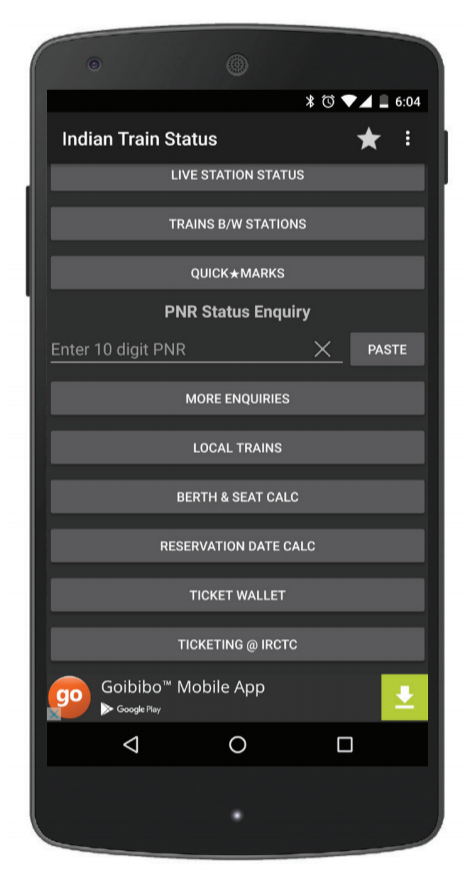
Every day in India, millions of people jump on a train to get to where they want to go. SmartApps India created a must-have local app to make this journey easier. This fast, convenient app - Indian Railway IRCTC Train PNR - allows users to check the live status of their train, browse rail schedules, book seats and even order snacks and meals for their journey. Super handy.
Looking for an ad solution to closely match the look and feel of their app, SmartApps chose to monetize with AdMob native ads. After implementing just one AdMob native ad, SmartApps grew their ad revenue by 55%.
When scanning through train schedules and available seats, app users are shown a list of information cards. This feed presented SmartApps with a golden opportunity to show non-obtrusive, yet visible, native ads to users.
“We made good use of the various template customization options available on the native ad express dashboard,” says SmartApps India’s co-founder, Sagar Mutha. “With native, it’s a good idea to try to place the native ads where there is a natural fit, and keep iterating and A/B testing until you get the desired results and CTRs. If you’re trying native, make sure the ads are unobtrusive and deliver a good user experience.”
AdMob native ads provided SmartApps with plenty of UX benefits. “User experience has been the biggest win after implementing native ads,” says Mutha. “We've received positive feedback from users and CTRs have gone up in comparison to regular banners.”
With such significant results, SmartApps plans on showing more native ads in the future as commuters scroll through their useful travel content.
“This experience has been life changing. From a hobbyist, who would have at most written apps used by a few friends, I have now an app used by millions, every day! It is just unbelievable... I am extremely grateful for this opportunity, and it has been the defining story of my life!” - Mohan Noone
"With AdMob taking care of the revenue part, we can focus on doing the fun part, which is making great games for our users.” - Tenny Woo, Direct and Frankie Lee, CTO